What happens between uploading the statement and issuing the return, step by step.
The name, the legal form and the financial year. The period following the last one attested for this entity is proposed to you, and you are warned if it overlaps an earlier period.
PDF, Word, Excel or CSV. The statement of financial position is told apart from the income statement, the items are extracted with their amounts, and they are shown beside the page of their document so you can match the figure against its origin.
Every item is assigned its place in the return — an addition, a deduction, or an item of the statement of financial position — and the base moves in front of you with each assignment, not after them.
The preparer’s and the reviewer’s approval are each recorded with their name and time, and then the return comes out with its articles and Form 10 ready to print or to transfer into the Authority’s portal.
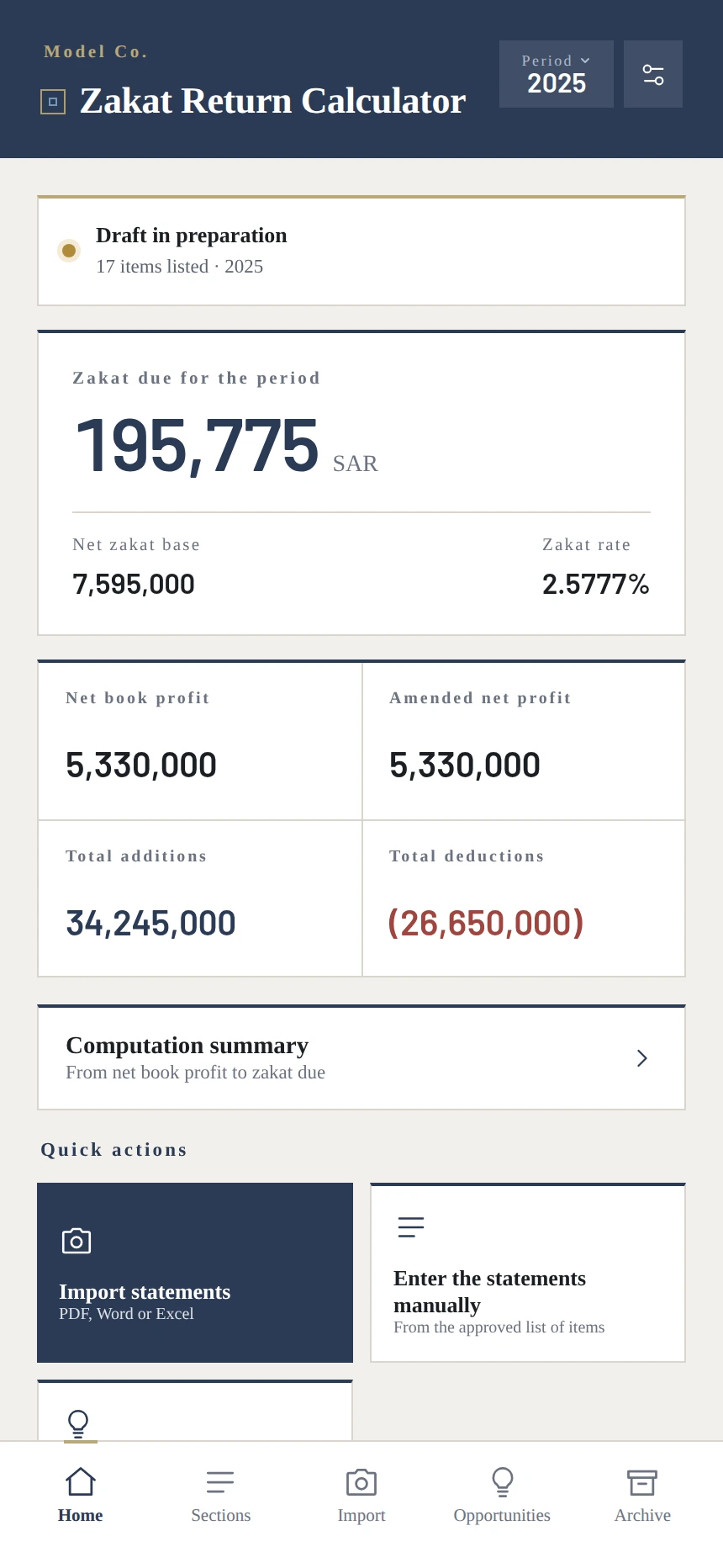
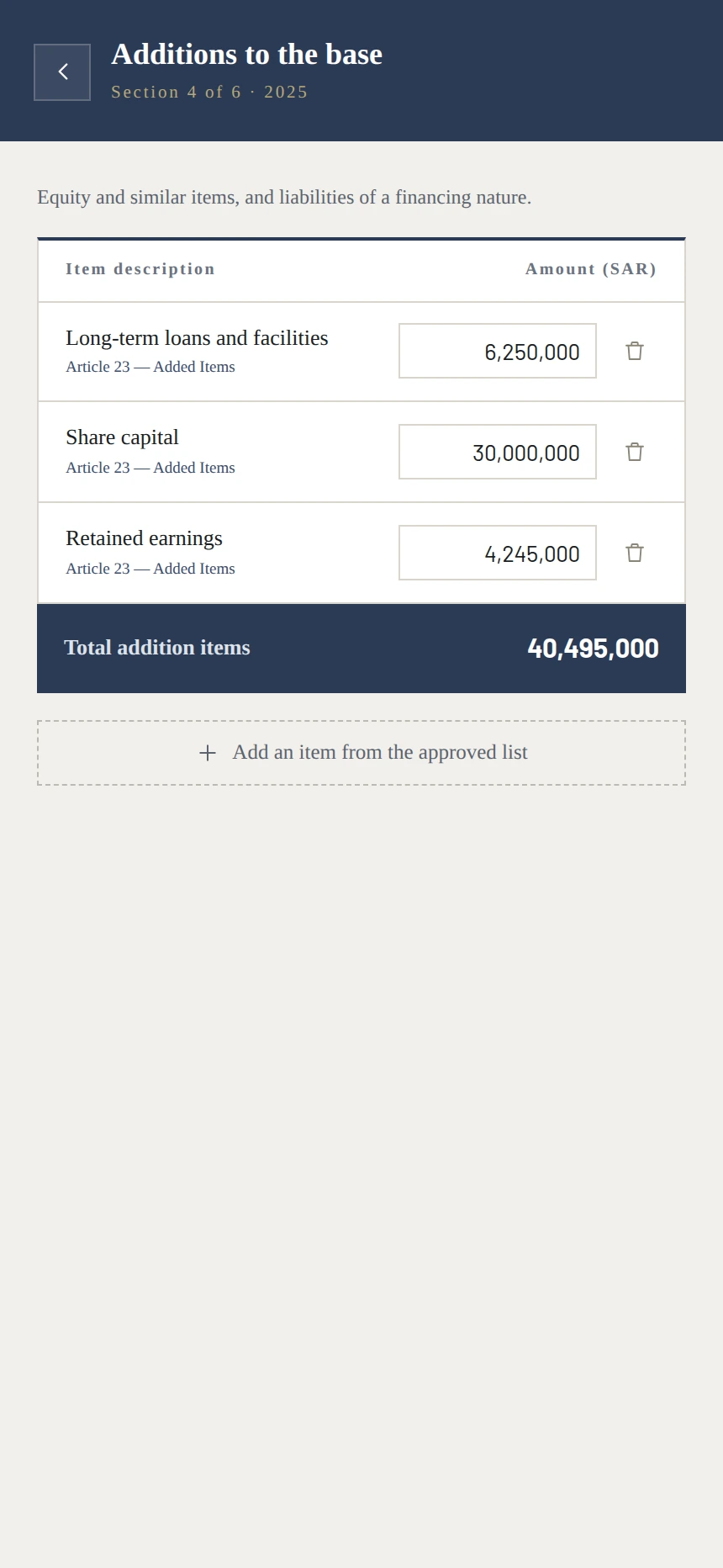
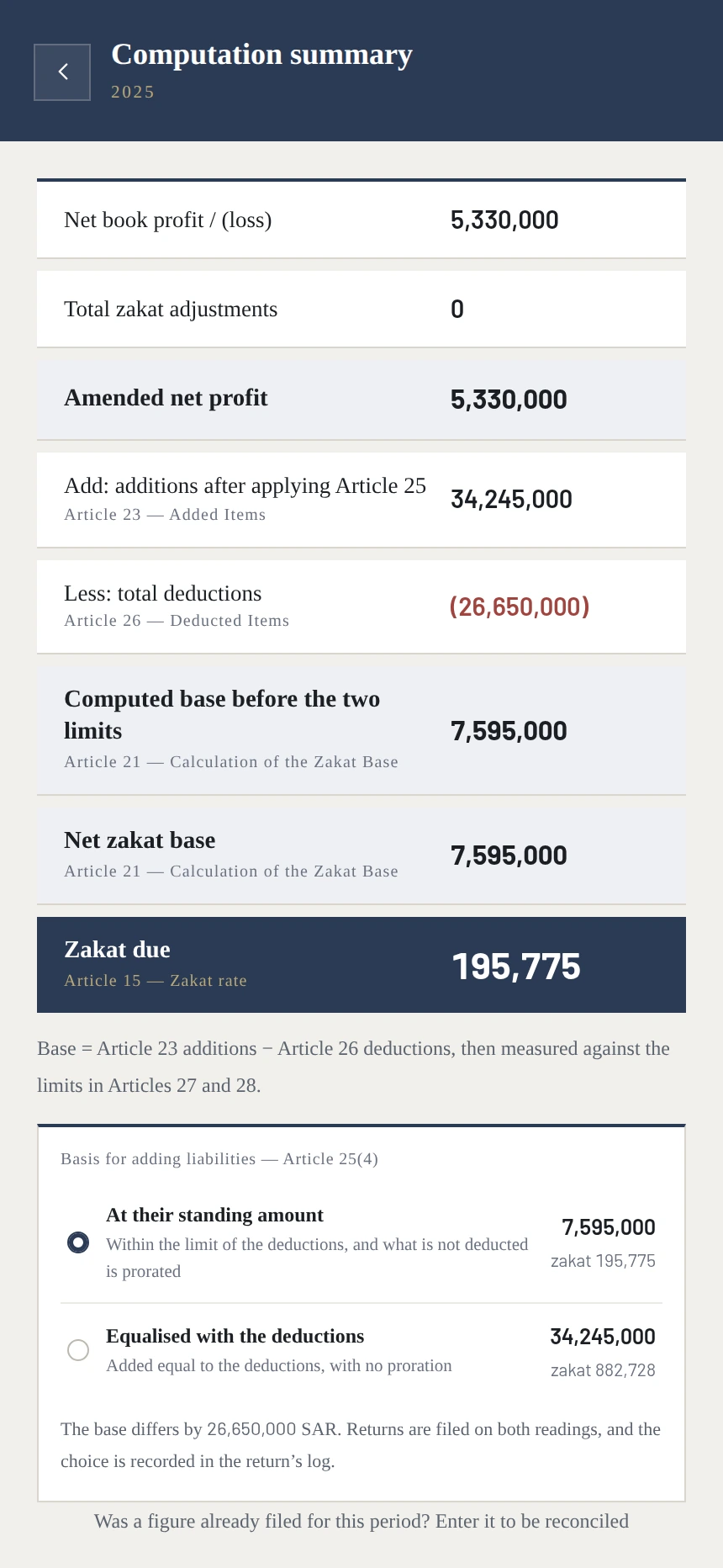
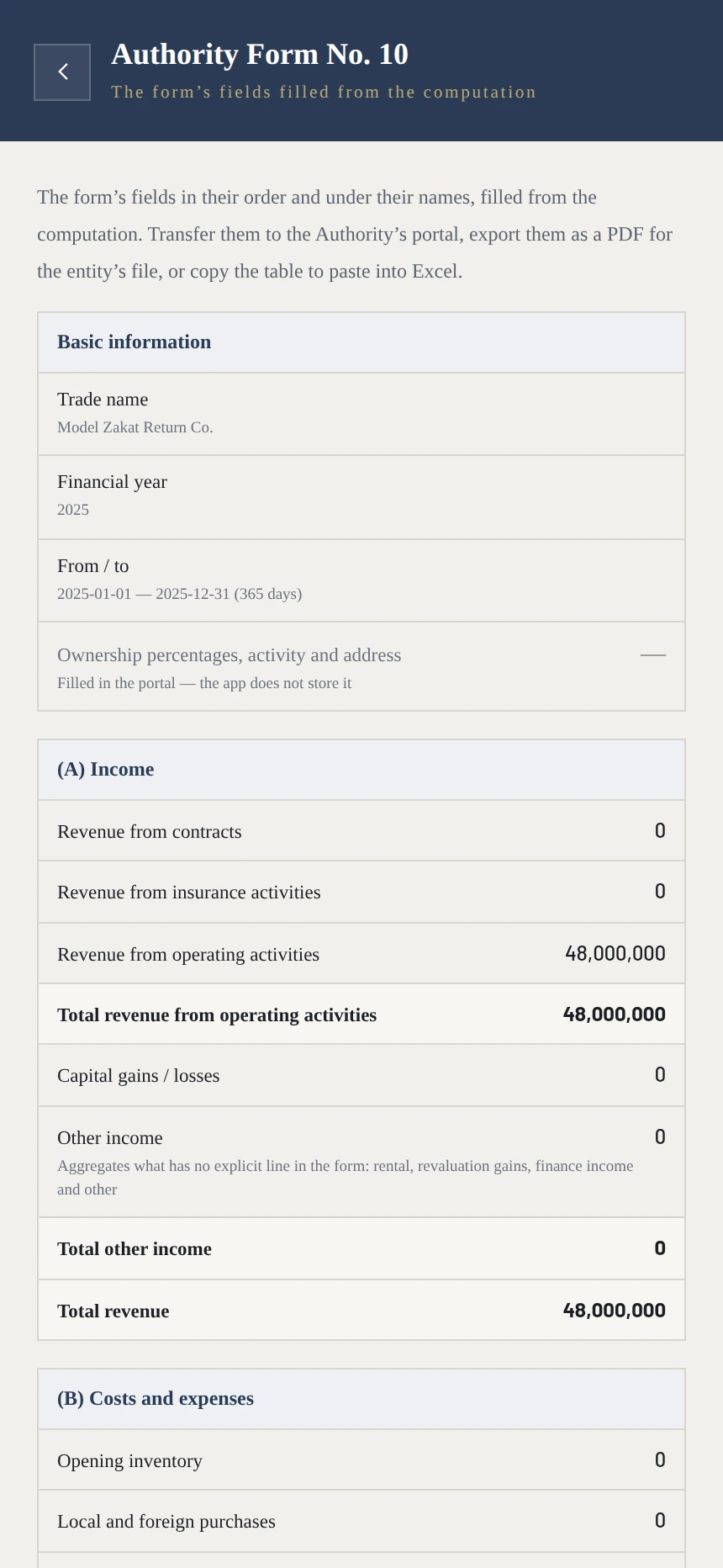
Four screens from the application itself — from the figure, to its article in the Regulations, to the Authority’s form.
The result first. Zakat due and the net base, recomputed with every amount entered.
Every item with its article. Under the figure is its article in the Regulations, and where it came from — no figure without a source.
The whole path. From book profit to the zakat, step by step — and each step with its article.
And the Authority’s Form No. 10 with its fields and their names, filled from the computation — transferred into the portal or exported.
The entity and its figures are invented for this display — the company in them is not a real entity, and there is no client and no client’s statements in these figures. The screens are of the application running in English.
You create an account and work with the whole tool, with no period that runs out and no payment method asked of you.